+++++++++
more on CRS in this IMS blog
https://blog.stcloudstate.edu/ims?s=classroom+response+systems
https://blog.stcloudstate.edu/ims?s=crs
Category: clickers
CRS and pedagogy
I’m in ‘Kahoots’ with Technology in the Classroom
By: Cassandra OSullivan Sachar, EdD July 31st, 2017
Teaching tool or distraction? The key to any engaging lesson in the classroom, of course, is to connect it to the learning objectives, and Kahoot! makes it easy to do so.
https://www.sli.do/. A basic account is free. this package does not allow question moderation and restricts the number of polls you can ask per class
+++++++++++++++++++++++++++++++++++++++
The Distracted Classroom: Transparency, Autonomy, and Pedagogy
July 30, 2017
http://www.chronicle.com/article/The-Distracted-Classroom-/240797
https://www.polleverywhere.com/
in my role as director of my college’s teaching center, I hosted a faculty discussion of Jay R. Howard’s excellent book Discussion in the College Classroom, which recommends that we build structural methods of participation into our courses, rather than just relying on the vocal students to carry the conversation.
The first three columns in “The Distracted Classroom” series have explored the fundamental problem of digital distraction in our lives today, the way recent technologies have exacerbated that problem, and the possible solutions. All of those columns drew on the research presented by Adam Gazzaley and Larry D. Rosen in their excellent book, The Distracted Mind: Ancient Brains in a High-Tech World.
Autonomy. The literature on helping students take a deep approach toward their learning — as opposed to a more surface or strategic orientation — suggests they learn best when they feel a sense of autonomy in class. Another approach to the problem of digital distraction, then, would be to invite students into the process of setting the policies that will operate in the classroom.
Cathy Davidson has argued very effectively for what she calls a “class constitution” — an agreement that the class has reached together about certain aspects of how the course will operate.
+++++++++++++++++++++++
More on Classroom Respire Systems in this IMS blog
https://blog.stcloudstate.edu/ims?s=crs
convocation winter 2016
Short link the information below on the IMS blog: https://blog.stcloudstate.edu/ims/?p=4441 and even shorter one: http://scsu.mn/1RsQErr
Weds 6th–
Session I 10-11:15 Voyageurs North (Atwood)
Title
Engage your students: connect CMS (D2L) to social media to enhance the learning process.
Plamen Miltenoff and Emil Towner
Join us online via Adobe Connect: http://scsuconnect.stcloudstate.edu/ims (please login as a “guest” and use your real name)
Outline
In this rapid succession of examples, one can experience a showcase how to enhance students’ engagement by modernizing D2L experience through connection with social media. Bring your own examples and participate in a discussion, which aims finding the right tools for your class and field of study.
Audience:
beginners to advanced
Prerequisite:
come with your own social media accounts: Facebook, Twitter, Instagram, Pinterest, Vine
Outcomes:
By the end of this session, the participants will have an idea about peculiarity of each of the social media tools: Facebook, Twitter, Instagram, Pinterest, Vine
By the end of the session, the participants will be familiar with the integration of each of the social media tool into D2L
By the end of the session, the participants will be able to asses to what extent each particular tool fits their field of study
By the end of the session, the participants will be able to compare the pedagogical advantages and disadvantages of the social media tools compared to D2L
Useful links to contact us via social media:
IMS blog: https://blog.stcloudstate.edu/ims
IMS Facebook: https://www.facebook.com/InforMediaServices?ref=hl
IMS Twitter: https://twitter.com/SCSUtechinstruc
IMS Pinterest: http://www.pinterest.com/scsutechnology/
IMS Instagram: http://instagram.com/scsutechinstruct
IMS YouTube: https://www.youtube.com/channel/UC_UMIE5r6YB8KzTF5nZJFyA
IMS Google+: https://plus.google.com/u/0/115966710162153290760/posts/p/pub
IMS LinkedIn: http://www.linkedin.com/in/scsuinstructionaltechnology
Plan – Plamen Miltenoff:
- Introduce each other and share the reason and interest to attend this discussion; what are the expectations from this discussion
- We offer free technical assistance in a close relationship with your pedagogical goals:
https://blog.stcloudstate.edu/ims/2015/10/06/technology-instruction-available-free/ - Why social media in education? What are the advantages, disadvantages?
Please consider the following presentations as a foundation for this discussion:
https://blog.stcloudstate.edu/ims/2015/04/08/lms-and-social-media/
Please consider the following survey about your opinion regarding social media in education:
*http://aidemoreto.polldaddy.com/s/social-media-in-education*
please have the short link: http://scsu.mn/1Z8EFFx
most recent contemplations about blogs and social media in general:
https://blog.stcloudstate.edu/ims/2016/01/01/4507/
- D2L and Facebook
What is the problem with D2L? https://blog.stcloudstate.edu/ims/2015/04/09/lms-as-a-concept-under-scrutiny/
Facebook in a learning environment MUST BE conducted using a Facebook group.
Unless the instructor is SPECIFICALLY using h/er FB account strictly for educational reasons and there is no personal content, the instructor can create a class-related group, with their personal FB account. While the account is personal, the FB group has NO access to the personal FB account.
Facebook Page is different from Facebook Group. The first is commercially oriented and thus, not recommended and to a great degree not suitable for educational purposes.
Facebook Provides New Admin Tools for Managing Page Communication
Facebook Improves News Feed for Slower Network Connections:
https://blog.stcloudstate.edu/ims/2015/12/13/improvements-in-social-media-tools/
Facebook group account can be used for: discussions, sharing materials / visuals, calendar
D2L Discussions compared to Facebook Group discussions – http://www.adweek.com/socialtimes/facebook-groups-pages/313736
D2L content compared to Facebook Group Wall
D2L calendar compared to FB calendar
D2L news RSS compared to FB Group alert. - D2L and Twitter
microblogging of 140 characters is often viewed as limiting. However, it can be the ultimate test how well students understand the learning material: making someone sum up in 140 characters what they learned this particular week in their class can take a lot of rewriting.
D2L allows a widget on its main page, where students can view and tweet. Students also can view and tweet from their mobile devices.
Tweeting during class is becoming mainstream in K12, also called “backchanneling.” Harnessing peers help to understand a concept discussed in class can save both time and efforts on the instructors’ side
Twitter is “making your twitter.com timeline more immersive by uncropping photos, so you can experience and present them as they were meant to be viewed.” https://blog.stcloudstate.edu/ims/2015/12/13/improvements-in-social-media-tools/ - D2L and Instagram
Instagram is a social media service, which allows both still images and videos (15 sec).
The bottom-line to evaluate if fitting your field of study is: can the content be narrated or is it much better if visualized. If the latter, Instagram can be your salvation for quick and dirty way to bring imagery, instead of trying to explain by words.
https://blog.stcloudstate.edu/ims/2014/10/14/instagram-apps/
Instagram can be shared vertically across Facebook, Twitter, Google+ and other platforms.
https://blog.stcloudstate.edu/ims/2014/09/25/pinterest-and-instagram/
Instagram in the classroom
https://blog.stcloudstate.edu/ims/2014/09/15/instagram-in-the-classroom/
Master Instagram in 8 Simple Steps https://blog.stcloudstate.edu/ims/2014/09/11/how-to-master-instagram-in-8-simple-steps/ - D2L and Pinterest
QR codes are used by Lorie Crane from Nursing as a gamification techniques for students to learn human bones. The disadvantage of the QR codes is that they physically are placed in the classroom. Pinterest can provide the same gamification environment, but the students can access it anywhere/anytime with their mobile devices. The links to the pin[s] can be provided in the D2L : content area (as learning materials/readings), discussion area, News area. They can be also used as part of the D2L quizzes
https://blog.stcloudstate.edu/ims/2014/09/25/pinterest-and-instagram/
Instagram defines and shapes brands while Pinterest sells brands.
Pinterest is about curating and discovering information.
https://blog.stcloudstate.edu/ims/2014/09/25/pinterest-and-instagram/
Using hashtags: https://blog.stcloudstate.edu/ims/2014/07/13/3-things-you-didnt-know-you-can-do-on-pinterest/
16 Ways Teachers Use Pinterest https://blog.stcloudstate.edu/ims/2014/02/10/16-ways-teachers-use-pinterest/
Free Pinterest-Style Education Service Hosts Common Core Teaching Aids https://blog.stcloudstate.edu/ims/2013/11/20/free-pinterest-style-education-service-hosts-common-core-teaching-aids/
Teachers on Pinterest – A Great Resource for Teachers ~ Educational Technology and Mobile Learning https://blog.stcloudstate.edu/ims/2013/11/02/teachers-on-pinterest-a-great-resource-for-teachers-educational-technology-and-mobile-learning/
- D2L and Vine
Vine is a social media services, which provides the ability to share 7 sec videos. Vine is becoming more popular then Instagram (15 sec videos), with the simplicity to create short videos. Students can take sequence of short videos, which amount to 7 sec to reflect the main points of a project. E.g.: chemical reaction, biology dissection, progress of engineering planning, solving a math formula.
URL to the vine can be posted in the D2L discussion area for further collaborative effort or for peers’ and instructions evaluation
Vines are a click away from a FB group page or, with the right handle and hashtag, to a Twitter discussion
The bottom-line to evaluate if fitting your field of study is: can the content be narrated or is it much better if visualized. If the latter, Vine can be your salvation.
How to Create Social Videos With Your Smartphone https://blog.stcloudstate.edu/ims/2015/01/10/social-videos-with-your-smartphone/ - D2L and YouTube, EdPuzzle (https://edpuzzle.com/), etc
YouTube Unveils New Trending Tab
https://blog.stcloudstate.edu/ims/2015/12/13/improvements-in-social-media-tools/Per SCSU IT disclaimer: MediaSpace (Kaltura) is a free, cloud-based video repository solution for campus that allows faculty and staff to upload and distribute video and audio content for academic or administrative purposes. Facilitators will discuss potential uses of MediaSpace for campus, demonst rate how to create Webcam and screen recordings, upload audio/video, and embed or link to MediaSpace content from D2L or a web site. YouTube is owned by Google and the integration, including statistics and analytics by Google are way beyond MediaSpace. The only selling point of MediaSpace is the FERPA requirement by MnSCU to host privacy data on a MnSCU owned server - Google+
Google+ is indirect competition with any CMS, D2L included, with its GOogle Classroom platform (https://classroom.google.com/ineligible). K12 and higher institutions are outsourcing to GMAIL and with Google Hangouts (Skype also), one can share video, audio and desktops, which makes Adobe Connect + D2L way behind in integration even before Google Drive is mentioned.
Google Introduces Shared Albums in Google Photos:
https://blog.stcloudstate.edu/ims/2015/12/13/improvements-in-social-media-tools/
8 Ways to Use Google+ Hangouts for Your Business https://blog.stcloudstate.edu/ims/2015/09/23/google-hangouts/You can record hangouts directly to your YouTube channel for future use.For private Google+ Hangouts, choose Google+ Video Hangouts, which allow you to have up to 10 participants in a video chat that is accessible only to the people invited.
Plan – Emil Towner:
- General stats on integrating social media and things to consider
- Here is a link to view the presentation I’ll use: https://prezi.com/esw2sbjp425o/integrating-social-media-aspects-to-consider/
- NOTE: Perhaps we could open up with this; I can cover it in 5-7 minutes and set the stage for the rest of the session)
- Integrating LinkedIn Assignments
- See the attached Integrating-Social-Media (PowerPoint saved as PDF)
- I can cover this in 5-15 minutes, just let me know what you prefer
- Integrating Facebook Groups
- I will show a couple of groups that I have used
- I can also come up with an “exercise” that participants can do, just let me know: (1) if you want me to and (2) if participants are suppose to have a Facebook account that they can log into during the session
===========================================================
Session K 2-3:15: 2PM Wed, Jan 8. Location: CH455
Title
Engage your students: gaming and gamification in the learning process.
Outline
As part of the broader discussion, a short discussion segment to form and agree on definitions and terms regarding games and gamification. Another short segment to seek consensus if this SCSU campus is ready to departure on the path of gamifying education. After several examples, of how games are used in education and gamification techniques, a discussion on how gaming and gamification can be streamlined amidst shrinking budget and increasing workload. More details and information about gaming and gamification at: http://scsu.mn/1F008Re
Audience:
beginners to advanced
Outcomes:
By the end of this session, the participants will have a working definitions on play, games, serious games, game-based learning, digital game-based learning, gaming, gamification and badges. (more at http://scsu.mn/1F008Re)
By the end of the session, the participants will be familiar with the possibilities for integration of games in the educational process and for gamification of the educational process.
By the end of the session, the participants will be able to asses to what extent games and gamification fit their field of study
Plan:
- Introduce each other and share the reason and interest to attend this discussion; what are the expectations from this discussion
- We offer free technical assistance in a close relationship with your pedagogical goals:
https://blog.stcloudstate.edu/ims/2015/10/06/technology-instruction-available-free/ - Your Brain on Video Game
http://www.zaption.com/present/566b26d4cbda6b1c1c482aa6
(use presenter, ask for mobile devices)
Work on the definitions: play, games, serious games, game-based learning, gaming, gamification and badges - How does the nation-wide call for games and gamification fit in the MnSCU, SCSU, personal plan as instructor
https://blog.stcloudstate.edu/ims/2015/11/18/immersive-journalism/ - Examples for gaming the learning process
- Examples for gamification of the learning process
- Discussion on how gaming and gamification fits the personal interests and curricula in various disciplines.
- More:
Digital game-based learning levels up digital literacies: https://blog.stcloudstate.edu/ims/2015/05/31/dgbl-and-digital-literacies/
===========================================
Friday 8th
Session M 10-11:15: CH 455
Title
Present and be presented: engage your students with modern ways to share information
Outline
Two trends plague education: the swamp of PowerPoint presentations and the lack of visual literacy. In this rapid succession of examples, one can experience a showcase of various cloud-based tools, which brings visual presentations way beyond PowerPoint and align with the Millennials demand for current social interaction. A discussion on how relevant these tools are to various disciplines and details on improving the interaction among instructors and students during the presentation. Ongoing discussion about design as part of visual literacy and the difference between blended learning and technology integration.
Audience:
beginners to advanced
Outcomes:
By the end of this session, the participants will have understand the movement “Death by PowerPoint” and will understand the advantage of cloud-based presentation tools to MS PowerPoint
By the end of the session, the participants will be familiar with several tools, which successfully replace PowerPoint and well beyond.
By the end of the session, the participants will be able to asses to what extent games and gamification fit their field of study
By the end of the session, the participants will be able to discriminate between technology integration and blended learning.
Plan:
- Introduce each other and share the reason and interest to attend this discussion; what are the expectations from this discussion
- Effective presentations: https://blog.stcloudstate.edu/ims/2016/01/07/effective-presentations/
- More
TIs on this topic are offered for in-class, hands-on working sessions:
https://blog.stcloudstate.edu/ims/2015/11/17/presentation-design-and-tools-for-psy-101/
https://blog.stcloudstate.edu/ims/2015/10/06/technology-instruction-available-free/ - Blended Learning vs. Tech Integration
http://www.zaption.com/tours/564e04b454706db03182fb62
(use presenter, ask for mobile devices) - Death by PowerPoint: https://blog.stcloudstate.edu/ims/2015/09/30/4003/
https://blog.stcloudstate.edu/ims/2013/11/11/death-by-powerpoint/
PowerPoint alternatives: https://blog.stcloudstate.edu/ims/2014/11/19/powerpoint-alternatives/ - Zaption and Zaption Presenter
- EdPuzzle https://edpuzzle.com/
https://blog.stcloudstate.edu/ims/2015/02/19/edpuzzle-flipped-lessons/
crops the video so one can watch only a segment. Does not make much sense, since YouTube gives an URL to the reference point, but it allows instructor’s audio feedback. It is still too much “instructor’s proprietary” and not so much students-engaging as Zaption Presenter and Kahoot. - Kahoot and clickers
- Powtoon https://blog.stcloudstate.edu/ims/2015/11/11/powtoon-as-ppt-alternative/
- ITTT https://blog.stcloudstate.edu/ims/2015/11/24/ifttt/
- videonotes for flipped lessons https://blog.stcloudstate.edu/ims/2015/12/04/videonotes-for-flipped-lessons/
- Other presentation tools for teaching, including free image sources and other multimedia sources:
https://blog.stcloudstate.edu/ims/?s=presentations&submit=Search
presentation templates: https://blog.stcloudstate.edu/ims/2015/09/23/presentation-templates/
21 Top Presentation Tools for Teachers : https://blog.stcloudstate.edu/ims/2015/08/27/presentation-tools-for-teaching/
Voice Over Presentation: solutions – https://blog.stcloudstate.edu/ims/2015/04/28/voice-over-presentation-solutions/
zaption presenter
http://www.zaption.com/tours/564d664c84624752616f7ca3
now engaging, interactive material for tablets and touch screens become even more engaging by adding now inteaction via mobile devices and moving the students off their desktops and laptops.
Open or free learner response software (i.e. BYOD clickers)
Excellent thread in the LinkedIn Higher Education Teaching and Learning discussion group:
Open or free learner response software (i.e. BYOD clickers)?
Dominik SeifertPh.D. Student, Experienced Software Engineer & Education Enthusiast
I am currently preparing for next semester. A learner response system allows the instructor (or presenting students) to easily interact with a large audience by posing questions or problem statements, and then collecting all responses which can be shown in real-time on the projection screen. In particular, a BYOD (Bring Your Own Device) system is one that only needs software (such as Learning Catalytics) and runs on any smartphone or tablet with internet access, which the students already have.
So far, I have not found a free learner response system (or “clicker”). I like the features of Learning Catalytics, but it’s difficult to convince students or the department to spend that much money (12$ per student). Also, the professor (and I also) categorically dislike any non-free solutions (many of us in Computer-Science are big fans of open-source, especially when it comes to the essentials, such as education).
Please note: This might not seem much to American education, but it is in most other countries, especially when that’s the price of a text book and even enrollment. After all, education should ideally be free (feel free to argue with me privately if you disagree).
Videos Explaining BYOD for Teachers and Students ~ Educational Technology and Mobile Learning
http://www.educatorstechnology.com/2013/11/excellent-videos-explaining-byod-for.html
Bring Your Own Device/Technology is an initiative meant to increase students learning opportunities through technology.
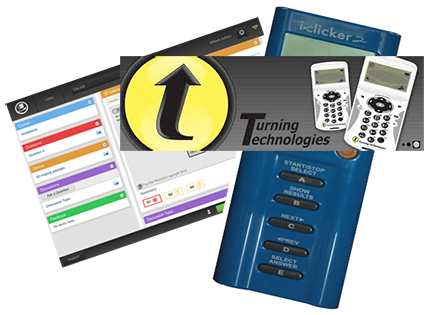
CRS (clickers) Turning Technology instructions
categories: clickers
Please have the following instructions regarding the CRS (aka clickers) from Turning Technologies.
- Getting Started Instructor Resources
http://web.stcloudstate.edu/informedia/crs/instructions/GettingStartedInstructorResources.pdf - PowerPoint presentation with information about Turning Technologies
http://web.stcloudstate.edu/informedia/crs/instructions/NXTRW1stDaySlides.pptx - 1ST DAY OF CLASS E-MAIL TEMPLATE
http://web.stcloudstate.edu/informedia/crs/instructions/NXTRWClassE-mailTemplate.pdf - Student Quick Start Guide. ResponseCard® NXT. Responding in Class
http://web.stcloudstate.edu/informedia/crs/instructions/NXT-Student-User-Guide.pdf - RESPONSEWARE SETUP AND USAGE
http://web.stcloudstate.edu/informedia/crs/instructions/ResponseWareStudentInstructions.pdf - Student Web Registration Instructions
http://web.stcloudstate.edu/informedia/crs/instructions/StudentWebRegistrationInstructions.pdf - SYLLABUS RECOMMENDATIONS FOR STUDENT RESPONSE
http://web.stcloudstate.edu/informedia/crs/instructions/SyllabusSuggestions.pdf
For more information, pls consider:
Stephanie Naoum, snaoum@turningtechnologies.com
Educause resources on CRS aka clickers
CRS (clickers) presentation
Today,
presented their products Presentation is available online http://media4.stcloudstate.edu/p26841238/ |
|
The Technology Literate Professoriate: Are We There Yet?
 |
The Technology Literate Professoriate: Are We There Yet?http://www.theideacenter.org/sites/default/files/Idea_Paper_43.pdf
Students may know how to navigate the Internet and use other forms of digital technology for purposes of their own learning, but do they know how to take full advantage of those technologies for learning at the university level?
|